Verify the validity of an Oracle APEX installation by running a query.
SELECT STATUS FROM DBA_REGISTRY WHERE COMP_ID = ‘APEX’;

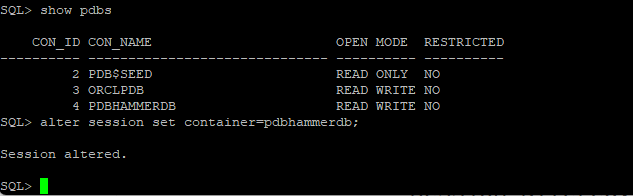
Unzip software, connect to the pdb database
Check apex tablespace
SELECT a.file_name,
substr(A.tablespace_name,1,14) tablespace_name,
trunc(decode(A.autoextensible,’YES’,A.MAXSIZE-A.bytes+b.free,’NO’,b.free)/1024/1024) free_mb,
trunc(a.bytes/1024/1024) allocated_mb,
trunc(A.MAXSIZE/1024/1024) capacity,
a.autoextensible ae
FROM (
SELECT file_id, file_name,
tablespace_name,
autoextensible,
bytes,
decode(autoextensible,’YES’,maxbytes,bytes) maxsize
FROM dba_data_files
GROUP BY file_id, file_name,
tablespace_name,
autoextensible,
bytes,
decode(autoextensible,’YES’,maxbytes,bytes)
) a,
(SELECT file_id,
tablespace_name,
sum(bytes) free
FROM dba_free_space
GROUP BY file_id,
tablespace_name
) b
WHERE a.file_id=b.file_id(+)
AND A.tablespace_name=b.tablespace_name(+)
ORDER BY A.tablespace_name ASC;

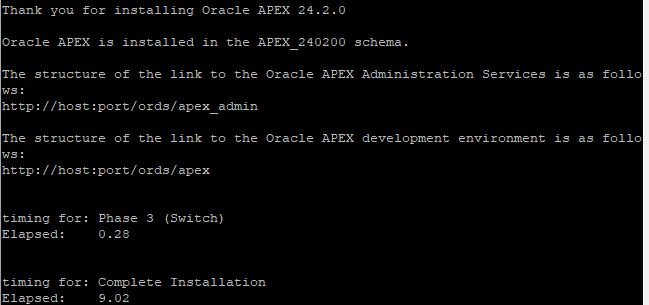
Install APEX
@apexins.sql APEX APEX TEMP /i/
Misc
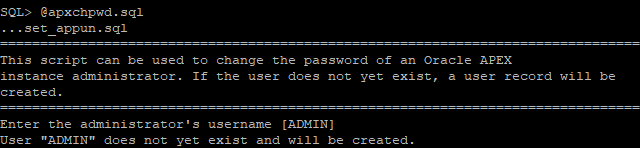
@apxchpwd.sql
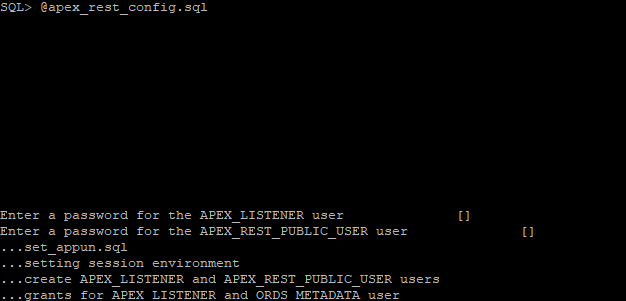
@apex_rest_config.sql
Accounts settings
SQL> ALTER USER apex_public_user IDENTIFIED BY “OraPassword11!!” ACCOUNT UNLOCK;
SQL> CREATE PROFILE password_unlimited LIMIT PASSWORD_LIFE_TIME UNLIMITED;
SQL> ALTER USER apex_public_user PROFILE password_unlimited;
SQL> exit

More info:
Uinstall ords
1. Run the uninstall command to remove the related database components:
ords uninstall –log-folder ORDS_LOGS
2. Remove the ORDS configuration directories/files.
For this example, remove the \databases and \global directories under D:\ORDS_config directory.
3. Remove the directories and files under the ORDS product folder.
In this example, remove the directories/files under D:\ORDS_product directory.
4. Unzip the ORDS 22.1 distribution zip file to get a clean copy of the installation media to ensure that it does not contain residual information that could interfere with the install.
That is, unzip to D:\ORDS_product.
5. Rerun the ORDS install:
ords install –interactive –log-folder ORDS_LOGS
More info:
How to check if ORDS is running
jps -mlv | grep ords
or
ps -ef | grep ords.war
ORDS repair
export ORDS_HOME=/opt/ords
export ORDS_CONFIG=/opt/config/ords
export ORDS_LOGS=${ORDS_CONFIG}/logs
${ORDS_HOME}/bin/ords –config ${ORDS_CONFIG} install repair –interactive –log-folder ${ORDS_LOGS}
ORDS install
${ORDS_HOME}/bin/ords –config ${ORDS_CONFIG} install –interactive –log-folder ${ORDS_LOGS}
ORDS start standalone
ords –config /opt/ords/config serve
ORDS start as service
For a production deployment we should start ORDS as a background process and push the output to a log file. For example, we could create a file called “/opt/ords/ords_start.sh ” with the following contents. Remember to adjust paths as required.
!/bin/bash
export PATH=/usr/sbin:/usr/local/bin:/usr/bin:/usr/local/sbin:$PATH
export JAVA_HOME=/u01/java/latest
export ORDS_HOME=/opt/ords
export ORDS_CONFIG=/opt/ords/config
LOGFILE=/home/oracle/scripts/logs/ords-date +"%Y""%m""%d".log
export _JAVA_OPTIONS=”-Xms1126M -Xmx1126M”
nohup ${ORDS_HOME}/bin/ords –config ${ORDS_CONFIG} serve >> $LOGFILE 2>&1 &
echo “View log file with : tail -f $LOGFILE”
cat /etc/systemd/system/ords.service
[Unit]
Description=Oracle REST Data Services
After=network.target remote-fs.target
[Service]
User=oracle
Group=oinstall
Type=oneshot
ExecStart=/opt/ords/ords_start.sh start
ExecReload=/opt/ords/ords_start.sh restart
ExecStop=/opt/ords/ords_start.sh stop
RemainAfterExit=yes
[Install]
WantedBy=multi-user.target graphical.target
#systemctl enable ords
Created symlink /etc/systemd/system/multi-user.target.wants/ords.service → /etc/systemd/system/ords.service.
Created symlink /etc/systemd/system/graphical.target.wants/ords.service → /etc/systemd/system/ords.service.
# systemctl start ords
More info:
https://oracle-base.com/articles/misc/oracle-rest-data-services-ords-standalone-mode-22-onward
First login
- In earlier installs of APEX (or some sample/demo setups) a workspace named
INTERNALoften exists by default. oracle-base.com+1 - From user-forums and Q/A’s: some note that “INTERNAL” + user “ADMIN” works as a default for accessing APEX. Database Administrators Stack Exchange+1
More info:
https://oracle-base.com/articles/misc/apex-tips-basic-apex-management