The Automatic Workload Repository (AWR) collects and maintains statistics of the database.
We can generate awr report for a particular time frame in the past using the script awrrpt.sql ( located under $ORACLE_HOME/rdbms/admin)
script – @$ORACLE_HOME/rdbms/admin/awrrpt.sql
Posted from: https://dbaclass.com/article/generate-awr-report-oracle/
The Automatic Workload Repository is a source for information and other Oracle features it Includes
- Wait for events to identify performance problems.
- Time model statistics.
- Active Session History (ASH).
- Statistics from the V$SYSSTAT and V$SESSTAT views.
- Object usage statistics.
- SQL statements that are resource-intensive.
- Automatic Database Diagnostic Monitor
- SQL Tuning Advisor
- Undo Advisor
- Segment Advisor
Snapshots
By default, the snapshot is generated once every 60 min and kept for 8 days
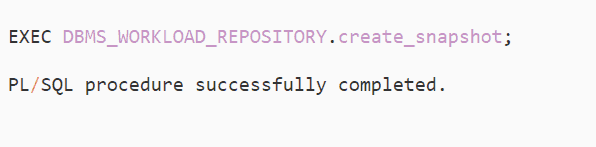
If you wish to generate awr snapshot manually, then it can be done by using the script below. This comes in handy when there is a requirement to generate an oracle awr report for a non-standard window that has a smaller interval.
So we will generate two snapshots at different intervals for 5 mins each. AWR can be generated using begin_snap_id and end_snap_id.